I am thinking of updating this blog.
What should I do?
*thinking hard
Ahad, 4 November 2018

Sabtu, 30 September 2017
Tutorial 8
ONLINE LEARNING TOOLS AND APPLICATIONS
Schoology
Schoology is a learning management system (LMS) to facilitate the creation of class rosters, curricula, and calendars. It also keeps track of interactions among student assessment results, among other things.
It is suitable for K-12 schools, higher-education institutions, and corporations.
The features include Web hosting; calendar management and the aggregation of personal, course, school and district calendars; workload planning; personal messaging; and large-scale (system-wide) and small-scale (user) management.
In 2014, Schoology won three CODie awards, including "Best Overall Education Solution.''
Fun Fact : Schoology doesn't have any third-party branding, meaning it can be custom-branded by whoever is using it.


Schoology
Schoology is a learning management system (LMS) to facilitate the creation of class rosters, curricula, and calendars. It also keeps track of interactions among student assessment results, among other things.
It is suitable for K-12 schools, higher-education institutions, and corporations.
The features include Web hosting; calendar management and the aggregation of personal, course, school and district calendars; workload planning; personal messaging; and large-scale (system-wide) and small-scale (user) management.
In 2014, Schoology won three CODie awards, including "Best Overall Education Solution.''
Fun Fact : Schoology doesn't have any third-party branding, meaning it can be custom-branded by whoever is using it.
How to get started go to this link https://support.schoology.com/hc/en-us/articles/201001193-Login-Student-
Sabtu, 23 September 2017
Sabtu, 5 Ogos 2017
Tutorial 6
FREE VIDEO EDITING SOFTWARE = Ezvid

Ezvid is a video editing software for Windows, is available for free download.
It is 100% freeware with no time limit and no registration required.

It runs smoothly in all Windows versions so if you’re running Windows XP, Vista, Windows 7, Windows 8, Ezvid might be the perfect software for you.
While highly advanced users are mostly using expensive and sophisticated video editing software, Ezvid is undoubtedly excellent software for the average home or novice user.
As a video editor, it has the ability to control video speed, merge and split videos, trim & cut, and duplicate movie files.
With a simple drag and drop of media files to its timeline, you can easily edit your clips and rearrange sequences of clips anytime you want.
You can personalize more your video by adding music, text or even narration to your videos.
Aside from the video editing functions, Ezvid is also an awesome video maker, screen recorder, and a slideshow maker. You can easily record your screen or even record your best gaming videos online and capture them in real time. It is also at the same a photo and video slideshow maker. It is capable of importing any types of video formats including AVI, WMV, MOV, MPEG4, MP4, FLV, and lots more. Plus it captures your gaming recording in HD and uploads it to Youtube instantly without hassle. Other software does not support this, in fact, some needs other software to convert videos to a usable format supported by YouTube, but with Ezvid, you no longer go through this hassle as you just have to click the “upload button” and that’s it. You can add background music, narration and other special effects to your videos. No more subscription needed, no more signups, everything is made easy and simple and fast with Ezvid. With Ezvid, you can assure that it is 100% FREE… to take your videos to a higher level.
Ezvid is a video editing software for Windows, is available for free download.
It is 100% freeware with no time limit and no registration required.
It runs smoothly in all Windows versions so if you’re running Windows XP, Vista, Windows 7, Windows 8, Ezvid might be the perfect software for you.
While highly advanced users are mostly using expensive and sophisticated video editing software, Ezvid is undoubtedly excellent software for the average home or novice user.
As a video editor, it has the ability to control video speed, merge and split videos, trim & cut, and duplicate movie files.
With a simple drag and drop of media files to its timeline, you can easily edit your clips and rearrange sequences of clips anytime you want.
You can personalize more your video by adding music, text or even narration to your videos.
Aside from the video editing functions, Ezvid is also an awesome video maker, screen recorder, and a slideshow maker. You can easily record your screen or even record your best gaming videos online and capture them in real time. It is also at the same a photo and video slideshow maker. It is capable of importing any types of video formats including AVI, WMV, MOV, MPEG4, MP4, FLV, and lots more. Plus it captures your gaming recording in HD and uploads it to Youtube instantly without hassle. Other software does not support this, in fact, some needs other software to convert videos to a usable format supported by YouTube, but with Ezvid, you no longer go through this hassle as you just have to click the “upload button” and that’s it. You can add background music, narration and other special effects to your videos. No more subscription needed, no more signups, everything is made easy and simple and fast with Ezvid. With Ezvid, you can assure that it is 100% FREE… to take your videos to a higher level.
Sabtu, 29 Julai 2017
Tutorial 5
Audio Editing Software
1. WavePad (Windows, Mac, iPad, Android)
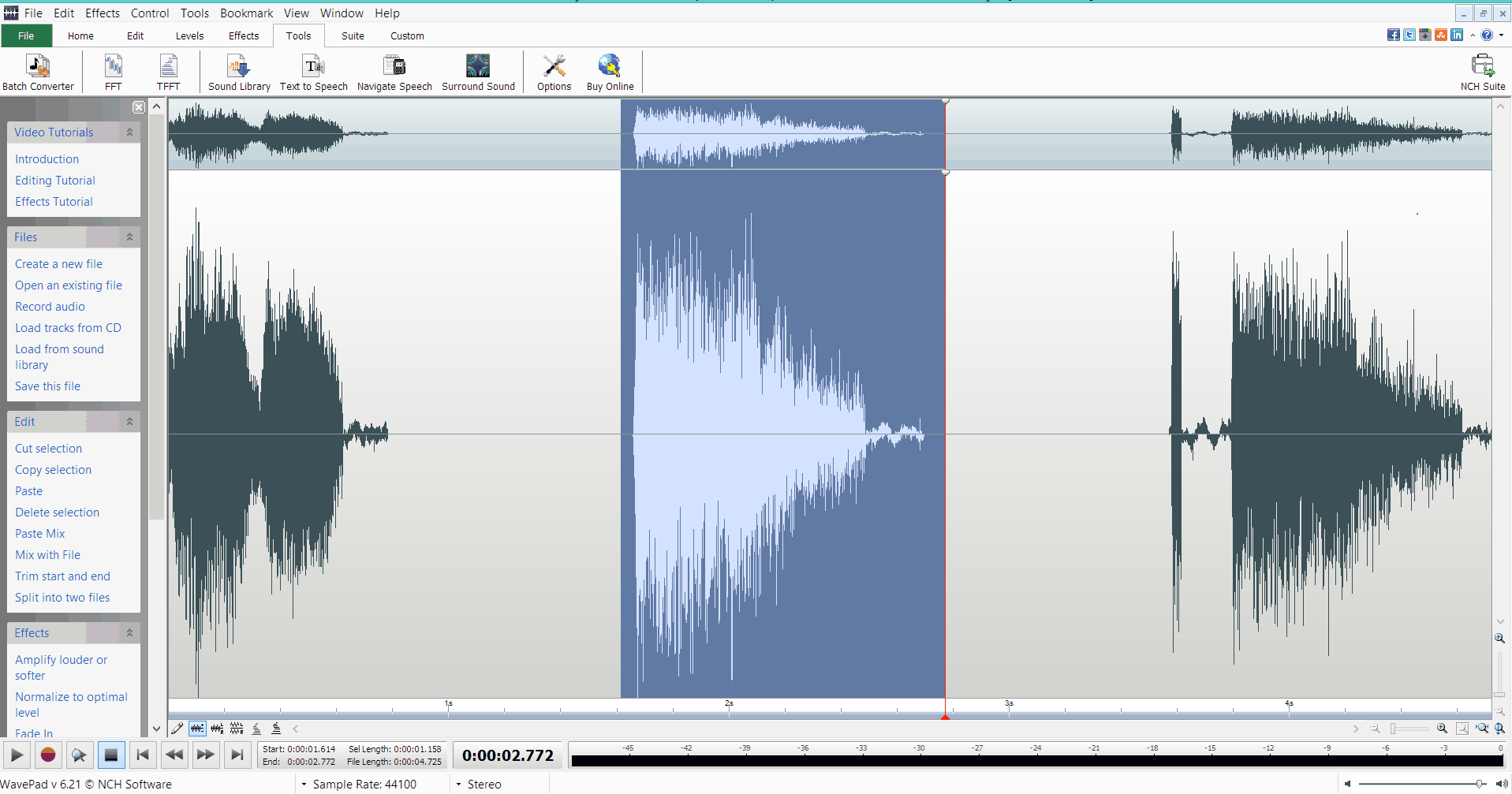
A slightly older DAW, but still highly useful. The interface may not be as sleek as some of the editors listed here, but it makes up for this in features.
It’s easy to install and easy to use. There are lots of bundled effects including noise removal, compression and reverb. There are also some great analysis tools for more advanced users. Pitch and speed changes are possible. So is audio scrubbing, which can be very handy. It doesn’t support multi-tracking so you can only edit stereo or mono audio files. You can apply compression, reverb, EQ or any effect to a number of audio files at once. This can save you HOURS in the right situation.
2. Audacity (Windows, Mac, Linux)
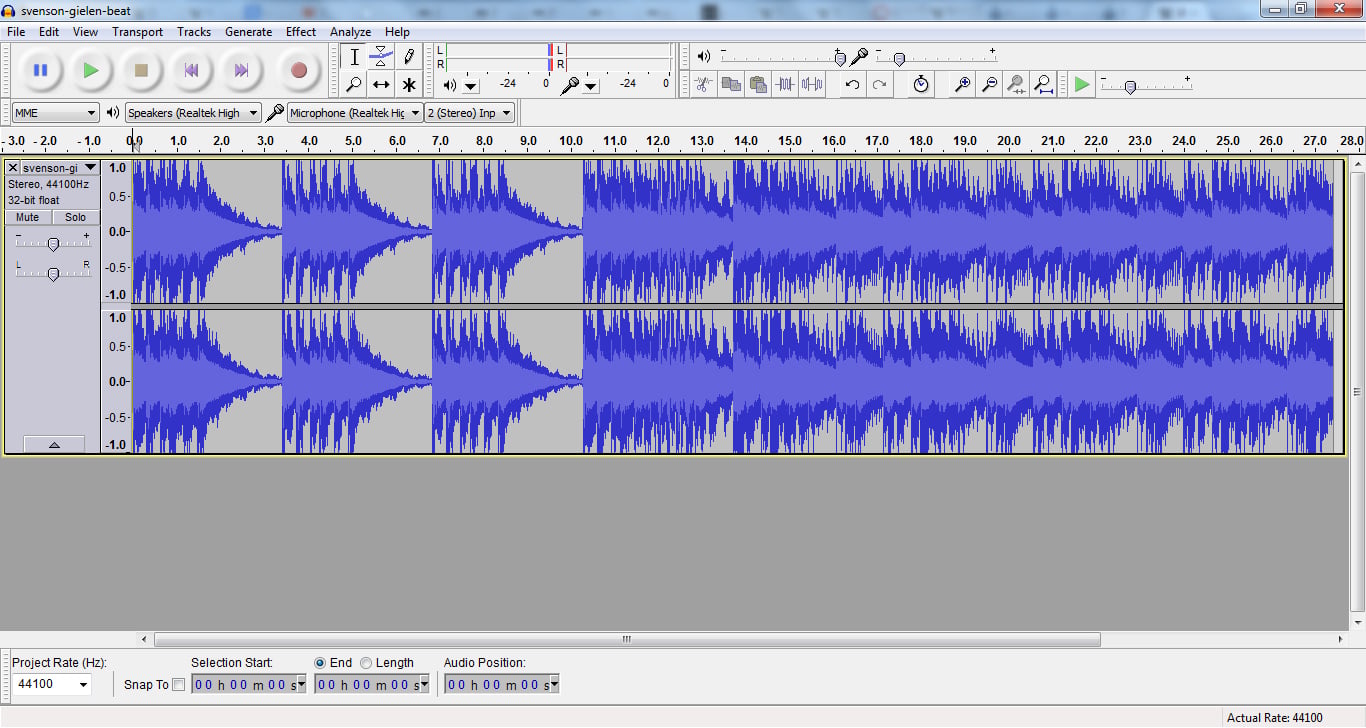
This is a free audio editing software. You can multi track to an extent (have more than just one stereo track e.g. a full band recording). There are a range of effects and plugins, and it’s easy to use once you get used to it. It’s by far the most popular free audio editing software. Volume automation is easy using the envelope. Deleting and muting sections of audio is also a breeze. Recording is easy too. It does have its drawbacks though. The user interface is not particularly appealing, and there a lot of features that you’ll rarely use that clutter the tool bar.
It looks a bit ancient, but it gets the job done. This is an awesome starting point for anyone wanting a free editor.
3. ocenaudio (Windows, Mac, Linux)
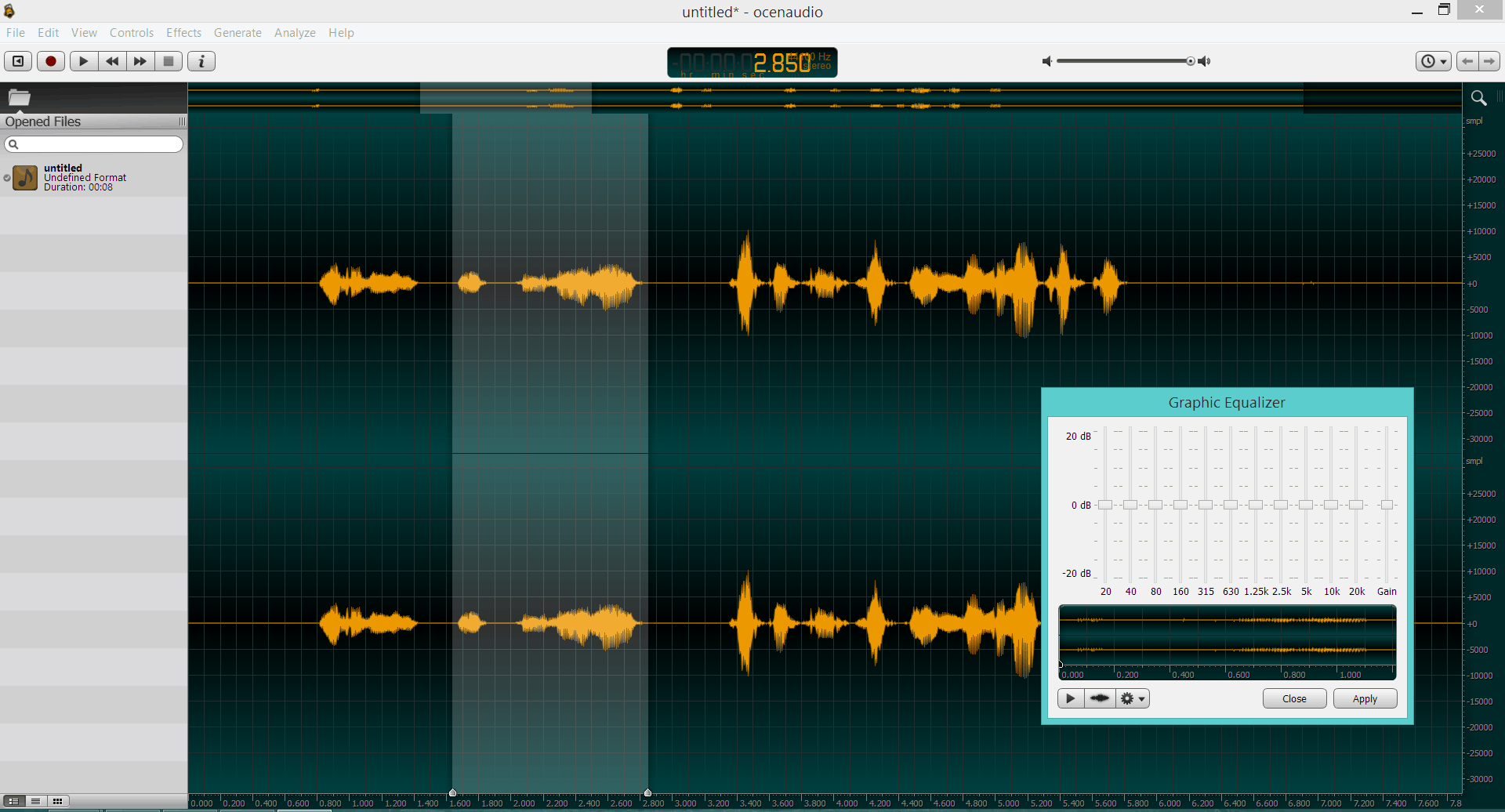
This new simple audio editor has a clean and colourful user interface. It’s so easy to use! It’s fast and it’s lightweight compared to Audacity. It’s bundled with loads of effects (including compression, EQ and reverb) that you can apply and tweak in real-time. This is a huge benefit as most free editors are destructive (they record effects straight to the audio) so you have to rely on a ‘preview’ button. This is how Audactiy works, for example. But in ocenaudio you can play with the parameters of the effect and hear the changes instantly. The editor has VST support so you can use your own plugins. It’s easy to record audio straight in to the software as well. There are lots of useful tools (such as a spectogram) for the more advanced user. One downside of this software is that it only supports single stereo/mono files. You can’t have a multi-track session and record several instruments in your home studio and mix them. But for editing stereo music files, or mono audio files (such as a voice recording) this is awesome. It’s also relatively simple in terms of features compared to Audacity, although they aren’t trying to compete on that front.
4. Hya-Wave (Chrome)
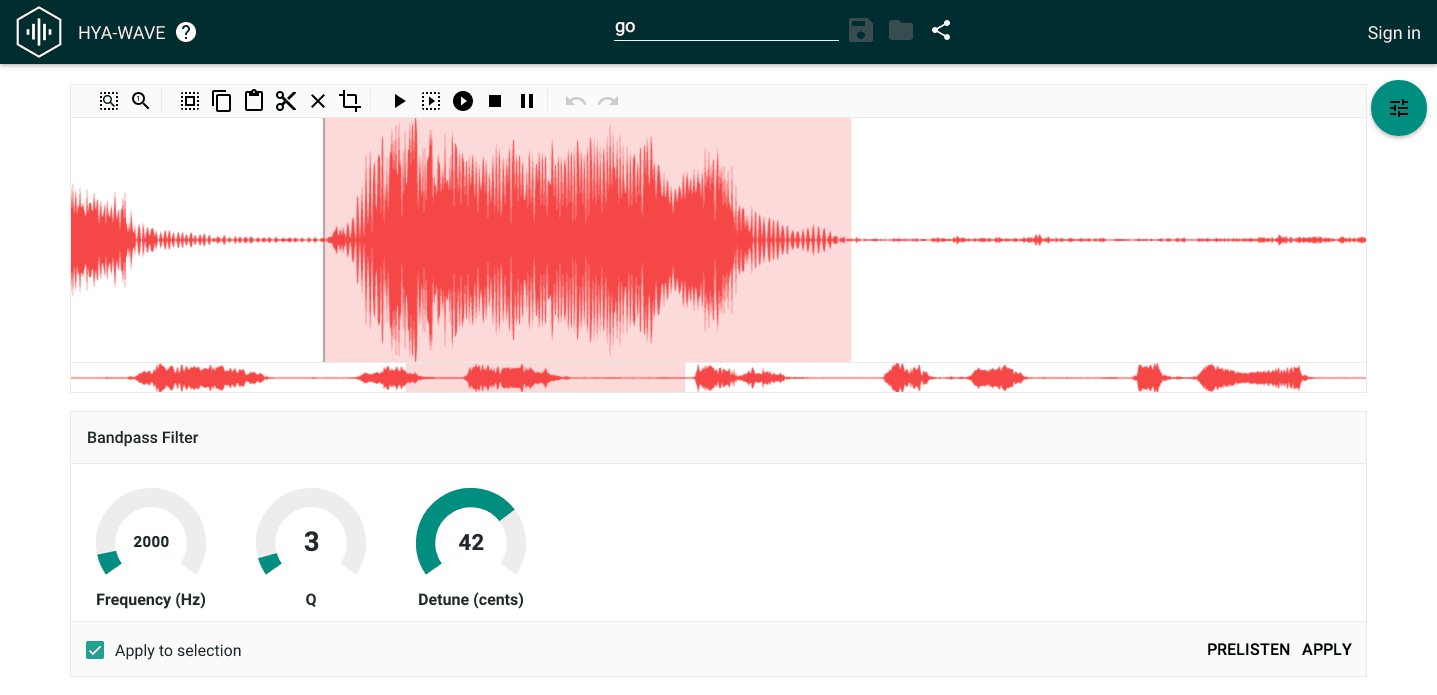 This is a member of the new wave of online audio editors that run in your internet browser. And it’s my favourite of that bunch.
Released in January 2015. The interface is clean and user friendly and the learning curve is pretty much non-existent. Three cheers for simplicity! It doesn’t support multi-tracking but you can copy, paste, cut, clear and crop your audio. You can load and save in the cloud, apply live effects and share to social media or via URL. Browser based DAWs could be the future of audio editing. There are several out there for music composition already and now more audio editors are appearing too. This is ideal if you are recording or editing on the fly and don’t want to install large programme on to your laptop.
5. TwistedWave (web app, Mac, iPhone)
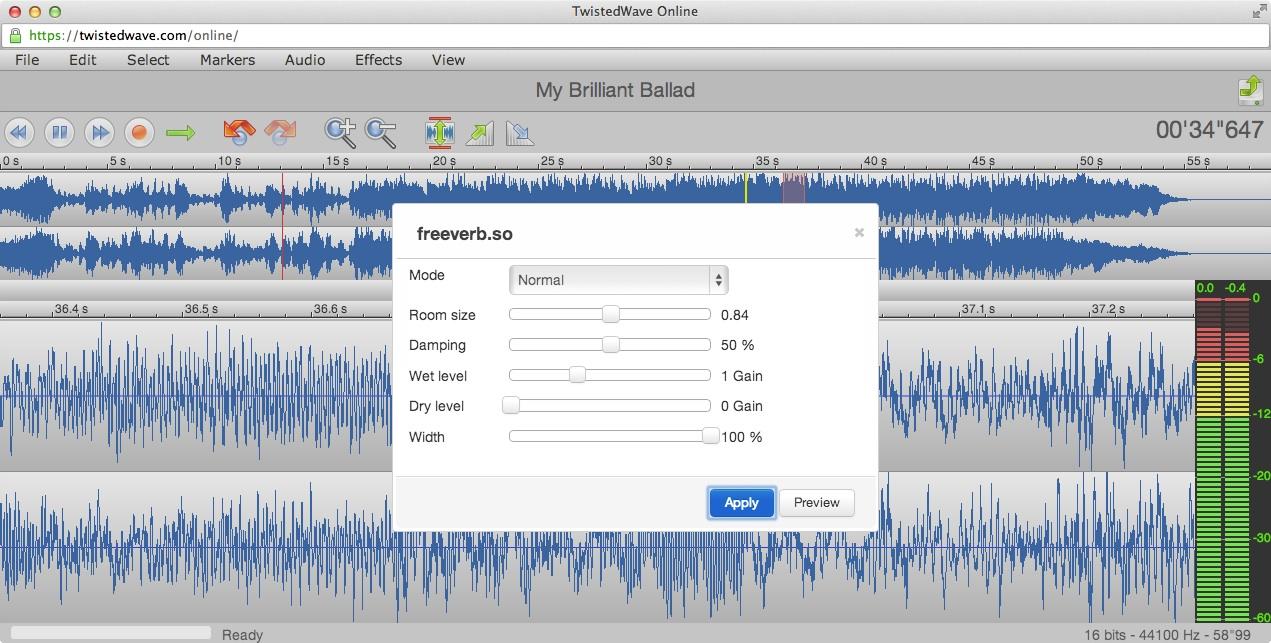
Another awesome online web application for editing sound. Again, it can’t multi-track, but it makes up for this with usability and features.
It’s easy to normalize your audio and the effects are easy to apply. Quick tip: like a lot of audio editing software, if you delete a section of audio the rest will ‘shuffle’ back so that there aren’t any gaps. If you want to remove noise without shuffling the audio, you need to ‘mute’ or ‘silence’ the section with noise. In TwistedWave you can do this easily by highlighting the section of audio that you want to mute and hitting ‘s’ on your keyboard!
6. Soundation (web app)
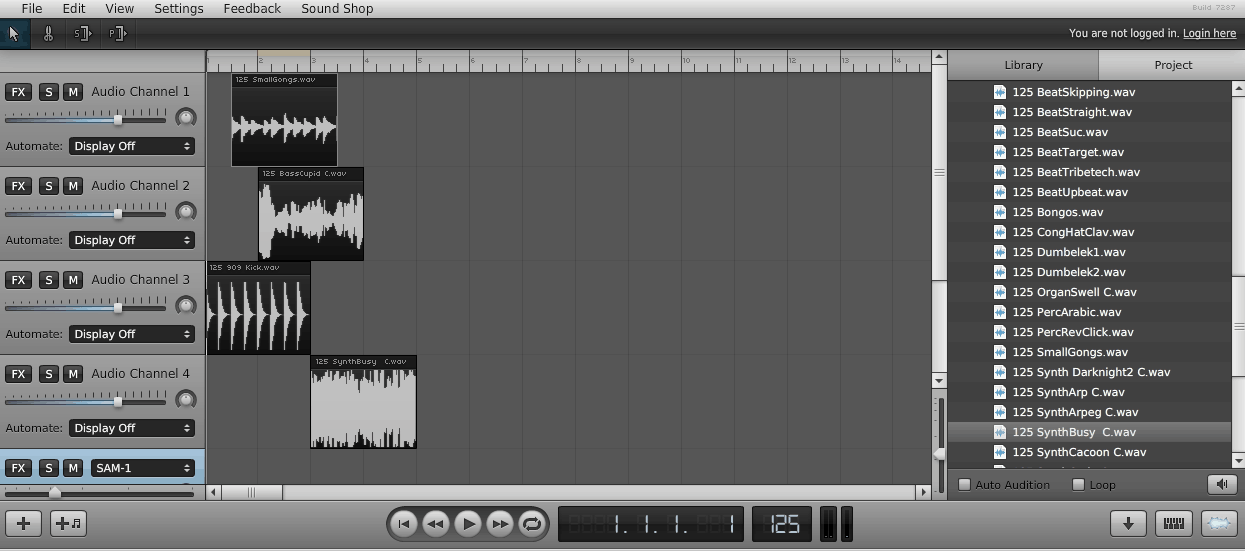
This is a great online application that also functions as a multi-track DAW. This means you can have several audio tracks playing at once.
The interface is attractive. It’s easy to record. Volume and pan automation are easy to perform. You can change the color of the tracks to keep them more organised. Time stretching is also supported and there are a range of effects and plugins. There is an awesome looping feature reminiscent of Logic Pro. This application is geared just as much to music composition and arrangement as audio editing. Yet this may be it’s downfall when considered an audio editor – it’s features and workflow are perhaps better suited to arranging music.
7. Acoustica Basic (Windows)
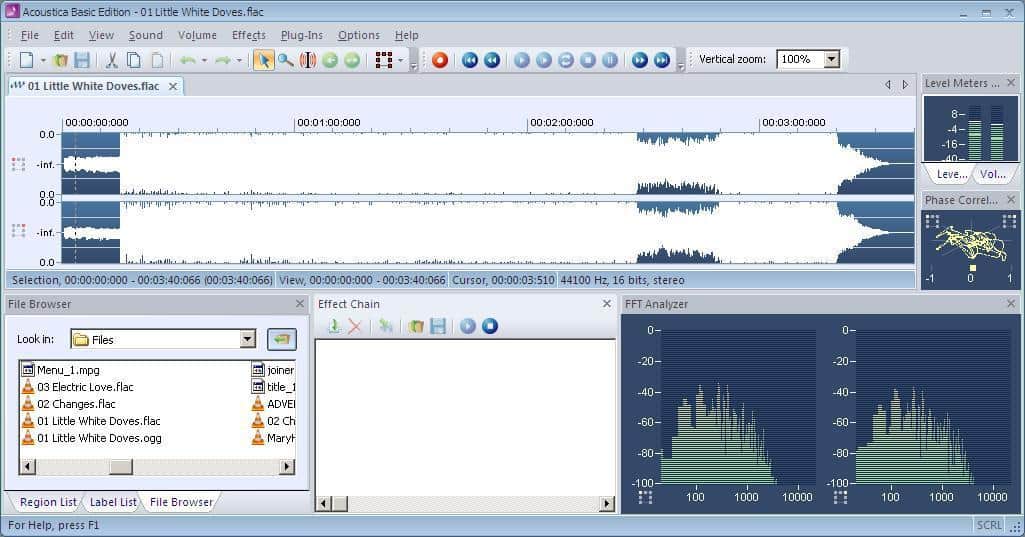
Easy to set up a project and start recording. It has a scrub tool which can be extremely useful! Unfortunately the basic edition does not support multi-tracking but there are some great analysis tools. This is also the only free audio editor that I have come across that comes with a convolution reverb (a special type of digital reverb you can use to semi-accurately model any room). You have to use your own impulse files though.
8. Audio Cutter Pro (web app)
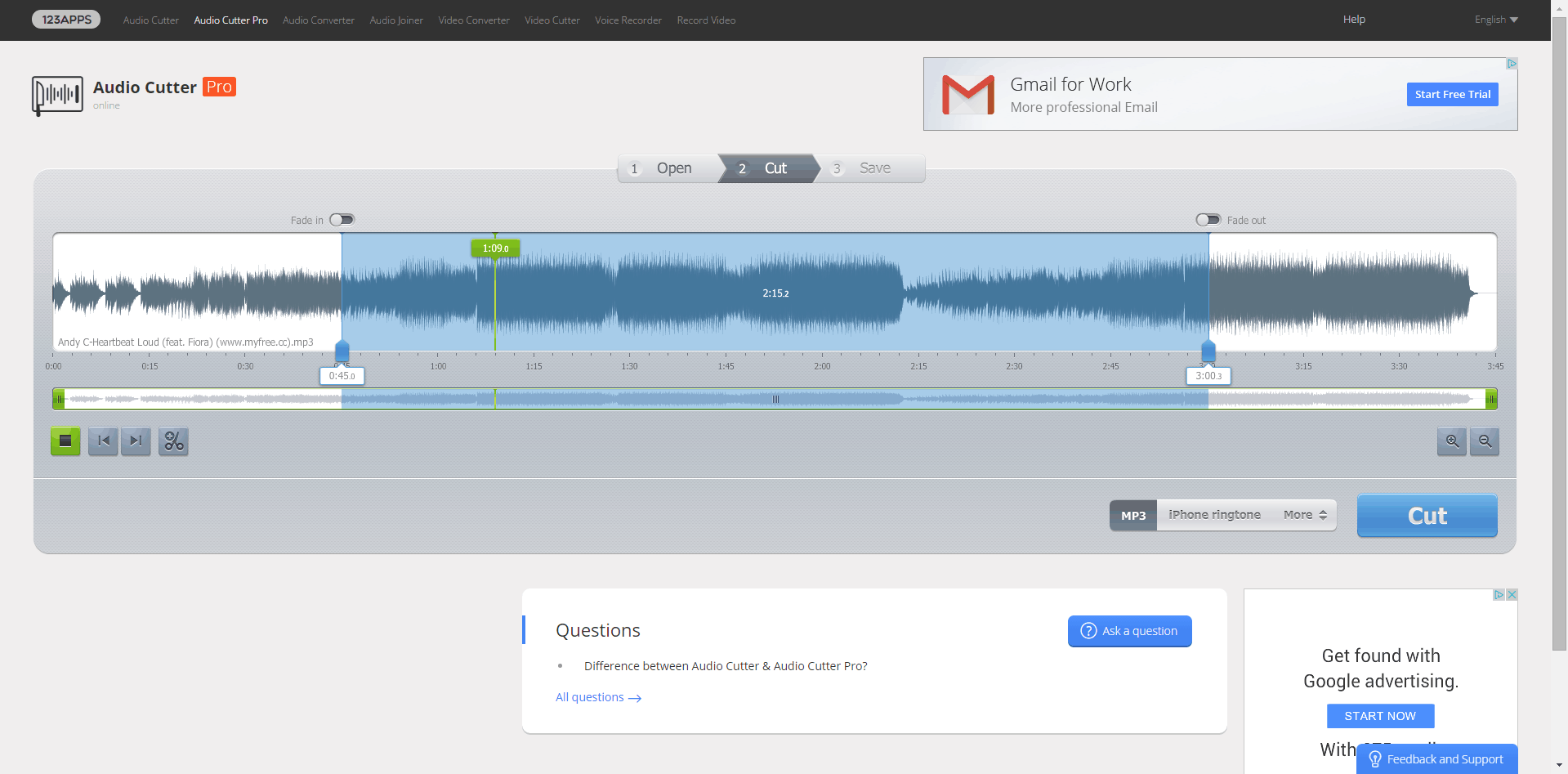
If you just need to crop some tracks and add some fades, this tool is perfect. It’s simple, the interface is great and the keyboard controls are intuitive. You can also import files from Dropbox or Google Drive so it fit’s in perfectly with cloud based storage.
9. Nero Wave Editor (Windows)
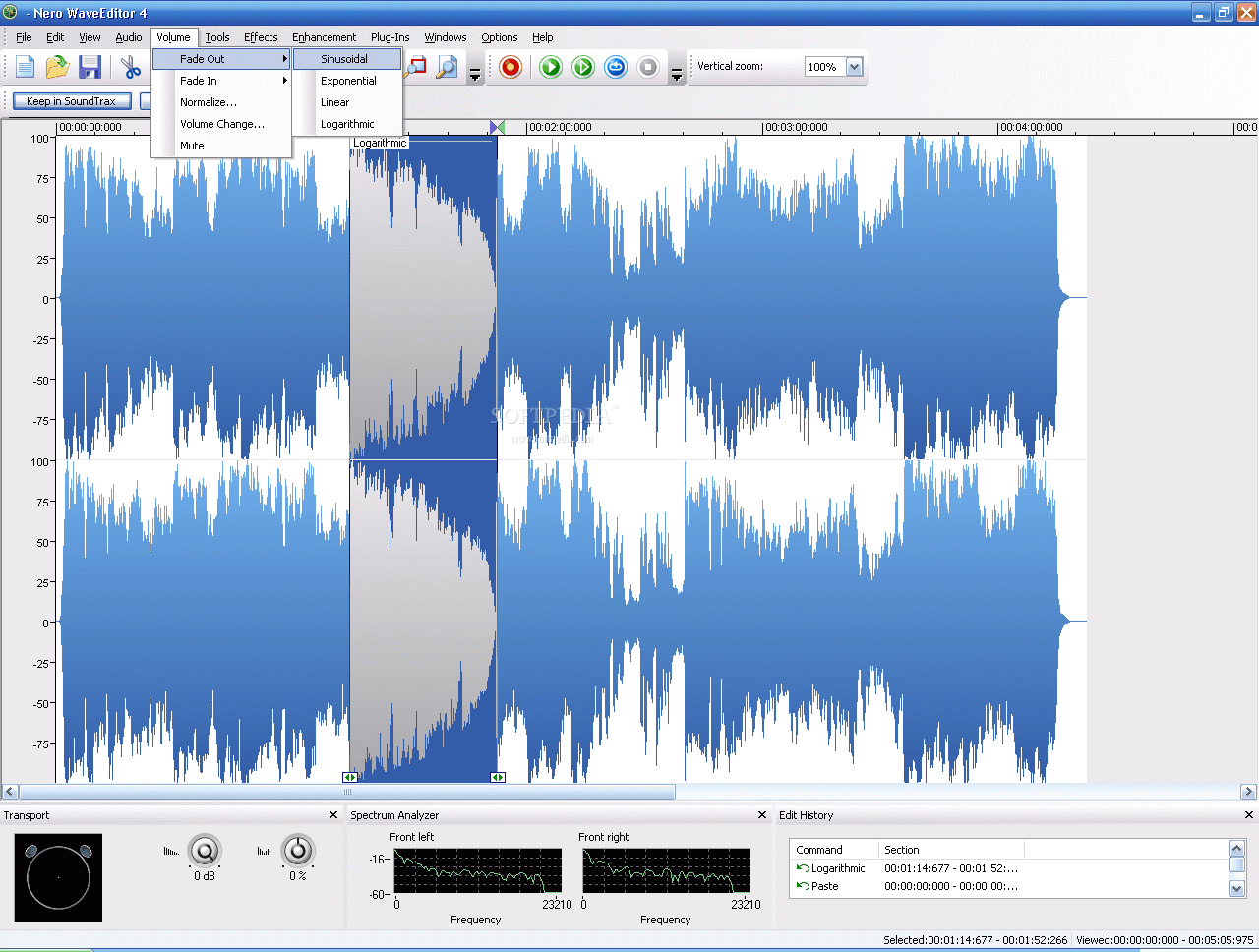
Another simple and free audio editor. There’s nothing particularly special about this one, but it will meet basic audio editing needs. You can apply effects non-destructively which is pretty useful. You can also create your own presets.
10. WaveShop (Windows)
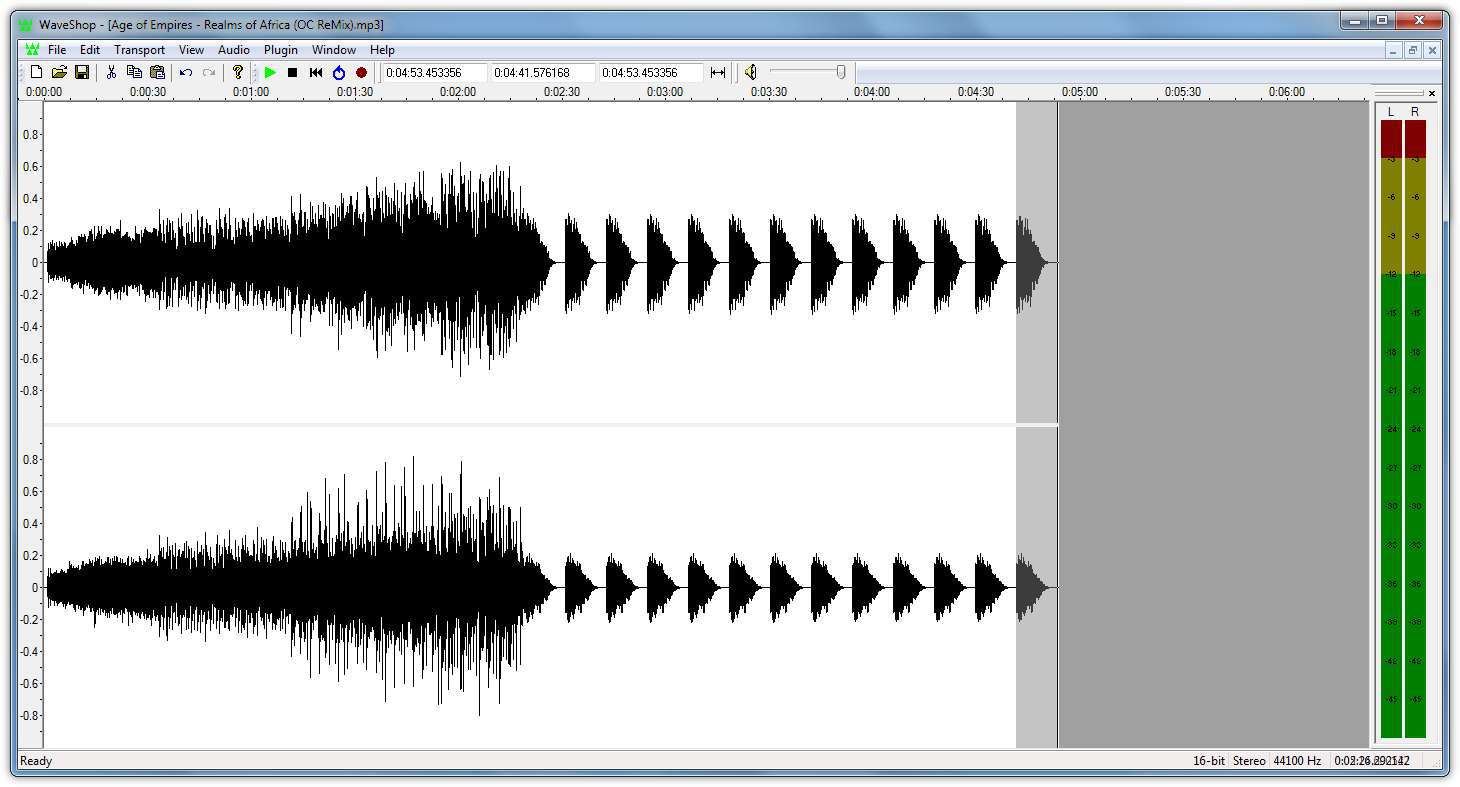
WaveShop supports multi-channel audio (up to 18 outputs) which could be useful in the right situation. It also claims to be ‘bit-perfect’, so samples aren’t changed needlessly.
1. WavePad (Windows, Mac, iPad, Android)
A slightly older DAW, but still highly useful. The interface may not be as sleek as some of the editors listed here, but it makes up for this in features.
It’s easy to install and easy to use. There are lots of bundled effects including noise removal, compression and reverb. There are also some great analysis tools for more advanced users. Pitch and speed changes are possible. So is audio scrubbing, which can be very handy. It doesn’t support multi-tracking so you can only edit stereo or mono audio files. You can apply compression, reverb, EQ or any effect to a number of audio files at once. This can save you HOURS in the right situation.
2. Audacity (Windows, Mac, Linux)
This is a free audio editing software. You can multi track to an extent (have more than just one stereo track e.g. a full band recording). There are a range of effects and plugins, and it’s easy to use once you get used to it. It’s by far the most popular free audio editing software. Volume automation is easy using the envelope. Deleting and muting sections of audio is also a breeze. Recording is easy too. It does have its drawbacks though. The user interface is not particularly appealing, and there a lot of features that you’ll rarely use that clutter the tool bar.
It looks a bit ancient, but it gets the job done. This is an awesome starting point for anyone wanting a free editor.
3. ocenaudio (Windows, Mac, Linux)
This new simple audio editor has a clean and colourful user interface. It’s so easy to use! It’s fast and it’s lightweight compared to Audacity. It’s bundled with loads of effects (including compression, EQ and reverb) that you can apply and tweak in real-time. This is a huge benefit as most free editors are destructive (they record effects straight to the audio) so you have to rely on a ‘preview’ button. This is how Audactiy works, for example. But in ocenaudio you can play with the parameters of the effect and hear the changes instantly. The editor has VST support so you can use your own plugins. It’s easy to record audio straight in to the software as well. There are lots of useful tools (such as a spectogram) for the more advanced user. One downside of this software is that it only supports single stereo/mono files. You can’t have a multi-track session and record several instruments in your home studio and mix them. But for editing stereo music files, or mono audio files (such as a voice recording) this is awesome. It’s also relatively simple in terms of features compared to Audacity, although they aren’t trying to compete on that front.
4. Hya-Wave (Chrome)
Released in January 2015. The interface is clean and user friendly and the learning curve is pretty much non-existent. Three cheers for simplicity! It doesn’t support multi-tracking but you can copy, paste, cut, clear and crop your audio. You can load and save in the cloud, apply live effects and share to social media or via URL. Browser based DAWs could be the future of audio editing. There are several out there for music composition already and now more audio editors are appearing too. This is ideal if you are recording or editing on the fly and don’t want to install large programme on to your laptop.
5. TwistedWave (web app, Mac, iPhone)
Another awesome online web application for editing sound. Again, it can’t multi-track, but it makes up for this with usability and features.
It’s easy to normalize your audio and the effects are easy to apply. Quick tip: like a lot of audio editing software, if you delete a section of audio the rest will ‘shuffle’ back so that there aren’t any gaps. If you want to remove noise without shuffling the audio, you need to ‘mute’ or ‘silence’ the section with noise. In TwistedWave you can do this easily by highlighting the section of audio that you want to mute and hitting ‘s’ on your keyboard!
6. Soundation (web app)
This is a great online application that also functions as a multi-track DAW. This means you can have several audio tracks playing at once.
The interface is attractive. It’s easy to record. Volume and pan automation are easy to perform. You can change the color of the tracks to keep them more organised. Time stretching is also supported and there are a range of effects and plugins. There is an awesome looping feature reminiscent of Logic Pro. This application is geared just as much to music composition and arrangement as audio editing. Yet this may be it’s downfall when considered an audio editor – it’s features and workflow are perhaps better suited to arranging music.
7. Acoustica Basic (Windows)
Easy to set up a project and start recording. It has a scrub tool which can be extremely useful! Unfortunately the basic edition does not support multi-tracking but there are some great analysis tools. This is also the only free audio editor that I have come across that comes with a convolution reverb (a special type of digital reverb you can use to semi-accurately model any room). You have to use your own impulse files though.
8. Audio Cutter Pro (web app)
If you just need to crop some tracks and add some fades, this tool is perfect. It’s simple, the interface is great and the keyboard controls are intuitive. You can also import files from Dropbox or Google Drive so it fit’s in perfectly with cloud based storage.
9. Nero Wave Editor (Windows)
Another simple and free audio editor. There’s nothing particularly special about this one, but it will meet basic audio editing needs. You can apply effects non-destructively which is pretty useful. You can also create your own presets.
10. WaveShop (Windows)
WaveShop supports multi-channel audio (up to 18 outputs) which could be useful in the right situation. It also claims to be ‘bit-perfect’, so samples aren’t changed needlessly.
Sabtu, 15 Julai 2017
Tutorial 4
Select visual media that suits your lesson plan.
Create a visual aid that can help you in your teaching.
Attach your lesson plan.
Examples of visual aids:
-Flash cards
-Black and white board
-Crafts
-Puppets
-Story books
-Time Lines
-Maps
-Flip Charts
-Drama, Costumes, and Props
Create a visual aid that can help you in your teaching.
Attach your lesson plan.
Examples of visual aids:
-Flash cards
-Black and white board
-Crafts
-Puppets
-Story books
-Time Lines
-Maps
-Flip Charts
-Drama, Costumes, and Props
Khamis, 6 Julai 2017
Tutorial 3 (infografik)
https://drive.google.com/open?id=0B_z9G3mmsB_iV0FqWmdib3g3NWM
Infographic: Kirkpatrick model made using Canva (https://www.canva.com/)
Rabu, 5 Julai 2017
Ahad, 2 Julai 2017
Langgan:
Ulasan (Atom)